
Zipper Lock Screen Customizer
Midas Studio AppArt & Design
4.728.00 Reviews
- Version
- 1.2.4
- Installs
- 1.00M
- Age Rating
- Everyone
Screenshots
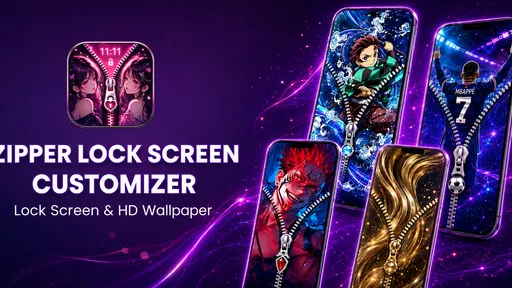
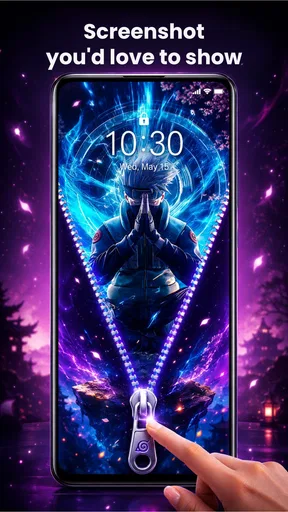
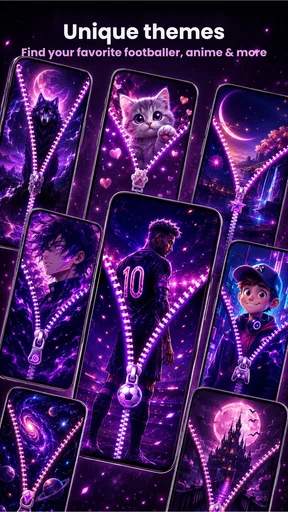
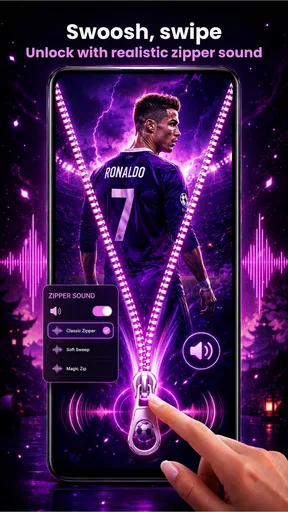
Our Review of Zipper Lock Screen Customizer
 Analysis by Appyee
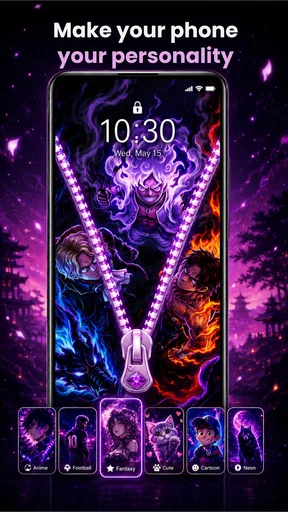
Changing a lock screen usually sounds simpler than it feels. Many wallpaper tools stop at a background image, while ordinary phone settings can make you choose between a few fixed layouts. Zipper Lock Screen Customizer takes a more playful route by turning the unlock gesture into part of the design. I found it most appealing when I wanted my phone to feel more personal without spending time building a complete theme from separate pieces.
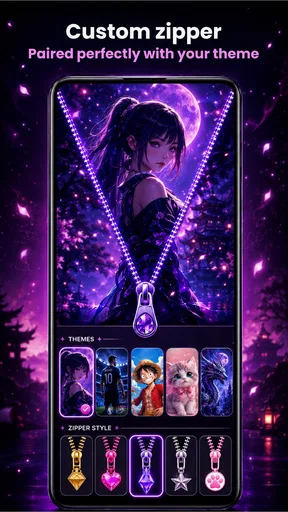
This is a free Art & Design app from Midas Studio App, aimed at anyone who wants a decorative lock screen rather than a purely functional one. Its central idea is easy to understand: select a zipper-style look, choose a wallpaper treatment, and make the opening animation part of the visual experience. The store presents a large collection of HD wallpaper styles, with more than a thousand options available, so the app is clearly designed around variety rather than a single signature look.
After using it, my first impression is that it works best as a quick personalization layer. It is not trying to replace every part of a phone’s interface or become a full design editor. Instead, it gives the lock screen a distinctive identity. That makes it a good fit for a first-time user who wants an obvious result quickly, provided they are comfortable with a decorative lock screen behaving differently from the phone’s built-in one.
What the first setup feels like
The app is suitable for Everyone and supports devices running Android 8.0 or later. That broad compatibility makes it approachable for people using older phones, although the experience can still vary depending on the device’s own lock-screen behavior. I would begin by treating the first launch as a short visual setup rather than trying to explore every style immediately.
My advice is to choose a wallpaper that remains readable behind the zipper effect. Very busy images may look attractive in a preview but become distracting once the lock element sits on top. A simple portrait, a clean color gradient, or an image with a calm central area usually gives the zipper design more room to stand out. This is one of the first useful trade-offs: the most detailed wallpaper is not always the most successful lock screen.
Because the collection is so large, browsing can become the first small obstacle. I would not scroll randomly for too long. Instead, decide what mood you want before opening the choices: bright and playful, dark and understated, colorful, or image-focused. That simple decision narrows the search mentally and makes the app feel less overwhelming.
The setup also deserves a little patience because a lock screen is not just a picture. You are choosing something you will see repeatedly, often for only a few seconds at a time. A style that looks exciting during a long preview may become tiring when repeated dozens of times a day. I prefer testing a restrained design first, then returning later if I want something more dramatic.
Getting to the first meaningful result
The first successful action is not finding the fanciest option. It is creating a lock screen that looks clear when you wake the phone and still feels natural after several unlocks. I would select one wallpaper style, apply the zipper treatment, and immediately check how the whole composition reads from a normal distance. If the zipper dominates the image or hides the subject, I would change the wallpaper before changing everything else.
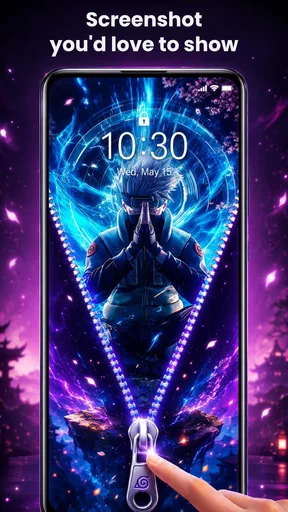
That workflow matters because the app’s appeal comes from the relationship between the image and the custom zipper. Looking at those choices separately can be misleading. A zipper color or texture that seems attractive on its own may clash with the selected background. I got better results by judging the complete lock screen as one design, not as a wallpaper plus an unrelated decoration.
For an everyday example, imagine using your phone during a busy morning. You may only glance at the screen while waiting for a message or checking the time. A strong setup should be recognizable instantly, with enough contrast to make the opening action obvious. If you choose a highly detailed background, the screen can feel visually noisy during those short interactions. A quieter image makes the custom element feel intentional rather than pasted on.
I also recommend taking a moment to see whether the result fits your normal unlocking habit. If you instinctively tap, swipe, or use a fingerprint sensor, a zipper-style interaction may feel like an extra visual step. That does not make it bad, but it changes the app’s role: it becomes a decorative experience rather than the fastest possible route to the home screen.
Where the app differs from a normal wallpaper picker
The usual phone wallpaper setting is better when you want speed, stability, and minimal change. You choose an image, apply it, and keep the standard lock-screen behavior. A conventional wallpaper app may offer more search tools or a more familiar browsing process. In comparison, this app earns its place by making the unlock surface itself part of the artwork.
That distinction helps clarify who should use it. If your priority is a clean lock screen with no extra visual layer, the built-in settings are probably the better choice. If you enjoy themed screens, novelty interactions, or changing the phone’s personality every so often, the zipper concept gives you something ordinary wallpaper tools do not.
The large wallpaper library is useful for experimentation, but quantity is not the same as perfect curation. I found that the best results came from being selective rather than assuming the first attractive preview would work. The app gives you plenty of material, but your own eye still has to handle composition, contrast, and how often you will see the design.
Another practical difference is commitment. A wallpaper can quietly sit behind the interface. A zipper effect asks for attention every time you unlock. That is enjoyable for users who want a small moment of character, but it may become unnecessary friction for people who unlock their phone constantly or rely on the quickest biometric flow.
Common confusion during use
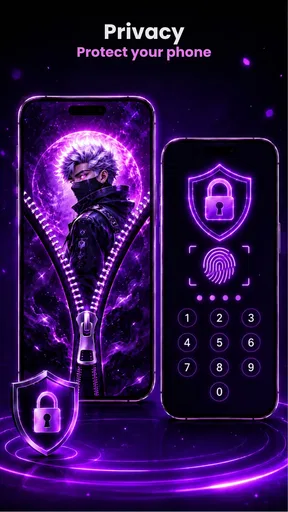
The biggest source of confusion is understanding what the custom lock screen is meant to replace or sit alongside. A decorative lock screen can look complete in its own preview, yet the phone’s normal security behavior may still matter. I would avoid assuming that the visual zipper alone should be treated as a substitute for the device’s security settings. Think of it primarily as personalization, and pay attention to how it behaves with the phone’s existing unlock method.
It is also easy to mistake a preview for the final everyday experience. A preview lets you inspect the design at leisure, while real use involves notifications, changing light, quick glances, and repeated unlocking. I recommend testing the screen in the situations that matter to you instead of deciding only from the selection page.
Another point of confusion is the meaning of “customizer.” The app’s strength is choosing from its visual styles and combining them into a personalized lock screen. It is not the same thing as having a professional graphics editor with unrestricted control over every pixel. Users looking for detailed typography, layered composition, or a complete theme-building workflow may find a dedicated design tool more suitable.
The app’s current version is 1.1.1, so I would keep expectations focused on the experience it offers now rather than imagining it as a full phone customization suite. Its value is straightforward: a free way to give the lock screen a zipper-based appearance and explore many wallpaper looks. That focus is a strength when you want a quick visual change, but a limitation when you want extensive system-level control.
Small decisions that improve the result
One useful approach is to choose the zipper before the wallpaper, especially if the zipper is the main reason you installed the app. Once you know the visual character you want, select a background that supports it. This reverses the usual wallpaper-first habit and often produces a more coherent result.
A second tip is to favor contrast over detail. The lock screen is viewed in short bursts, and a clear subject or open area helps the design read immediately. If the background contains many similar colors, the zipper may lose its visual definition. A simpler image can make the entire screen look more polished without requiring any advanced editing.
A third is to keep a dependable alternative in mind. If the zipper screen ever feels slow, distracting, or awkward with your normal unlock routine, returning to the phone’s standard lock screen is the sensible choice. Personalization should make the device more pleasant, not create a daily obstacle. I see this app as something to enjoy when the visual effect adds character, not something every user must keep permanently.
There is also a good use case for occasional themes. You might create a calmer design for workdays and a brighter one for weekends, or change the look when you want your phone to feel refreshed without replacing the device. The app’s broad selection supports that kind of low-effort rotation. The key is to change with a purpose instead of repeatedly browsing without settling on a usable screen.
Who will enjoy it, and who should skip it
I would recommend it to first-time customizers, users who enjoy decorative interfaces, and anyone who wants a noticeable lock-screen makeover without paying for the app. It is especially approachable if your main goal is visual personality rather than precise technical control. The Everyone age rating also makes its style accessible to a broad audience.
It is less suitable for someone who wants the lock screen to disappear as quickly as possible. If you unlock through a fingerprint reader, face recognition, or a familiar system gesture and dislike extra animation, the zipper concept may feel like decoration you have to work around. People who need a highly controlled professional layout may also prefer a standard wallpaper tool or a more advanced design application.
The rating gives the app a strong public reception, with a 4.5 average from around 1.8 thousand ratings. It has also passed 100 thousand installs, which suggests that the concept has reached a meaningful audience. I would read those figures as evidence of broad interest rather than a guarantee that every phone will handle the experience identically. Lock-screen behavior is closely tied to the device, so your own test remains more important than popularity alone.
Since the app is free, trying it carries little financial commitment. The real cost is attention: browsing a large library, testing combinations, and deciding whether the zipper interaction fits your routine. That is a fair exchange for users who enjoy customization, but not necessarily for someone who wants to change a wallpaper in a few seconds and move on.
My next-step recommendation
If you are installing it for the first time, I would start with one calm wallpaper and one zipper style rather than exploring the whole collection at once. Look at the screen in bright and dim surroundings, unlock several times, and notice whether the effect remains pleasant after the novelty fades. If the picture stays readable and the interaction feels natural, you have already found the app’s main success case.
After that, experiment with a second design that makes a deliberate change: a darker background, a more colorful style, or a different balance between image and zipper. Comparing two purposeful choices teaches you more than collecting many random previews. It also makes it easier to return to the design that works best in daily use.
My overall view is positive but specific. Zipper Lock Screen Customizer is not a replacement for every wallpaper app, and it is not aimed at people who want the most invisible unlocking experience. Its charm comes from making the lock screen feel interactive and visually distinct. With more than a thousand HD styles, a free price, support for Android 8.0 and later, and a simple creative premise, it is easy to recommend as a low-risk experiment.
Developed by Midas Studio App, it does what I would want from a focused lock-screen customization app: it gives the phone a clear new identity without demanding advanced design skills. My advice is to judge it by the complete daily experience, not by the most eye-catching preview. If you enjoy seeing a little personality every time you unlock, Zipper Lock Screen Customizer is worth trying. If speed and standard security behavior matter more than visual flair, your phone’s built-in lock screen will probably serve you better.
Privacy and Permissions
See what permissions an app requests and how it handles your data.
- Wi-Fi connection information
- view Wi-Fi connections
- Other
- view network connections, full network access, run at startup, set wallpaper, draw over other apps, control vibration, prevent device from sleeping, Google Play license check
Verdict
Strengths of Zipper Lock Screen Customizer
- Easy way to create a playful zipper-style lock screen
- Offers multiple zipper designs and visual themes
- Lets you personalize backgrounds with your own photos
- Simple controls make customization accessible to most users
- Adds a distinctive decorative effect to the standard lock screen
Limitations of Zipper Lock Screen Customizer
- May require extra permissions to function as an overlay
- Lock-screen effects can consume additional battery over time
- Some designs or features may be limited behind advertisements
- Compatibility may vary across Android versions and devices
- Not a replacement for secure biometric or PIN protection
Other Releases by Midas Studio App
View All
Car Wallpaper HD & 4K Live
Art & Design0.0
Similar Picks in This Category
View All
Canva: AI Photo & Video Editor
Canva4.8

PENUP – Drawing-sharing SNS
Samsung Electronics Co., Ltd.4.5

Crafto
Kutumb App4.6

Sketchbook
Sketchbook4.1

ibis Paint X
ibis inc.4.5

Adobe Express: AI Photo, Video
Adobe4.6
Frequently Asked Questions
What is Zipper Lock Screen Customizer and how does it work?
Zipper Lock Screen Customizer is an Android personalization app that lets you replace a standard lock screen with a zipper-style design. After enabling the lock screen, you usually unlock the device by dragging the zipper pull downward or upward, depending on the selected theme. The app focuses on appearance rather than advanced security, adding decorative backgrounds, zipper styles, and visual effects to the unlocking experience.
Can I customize the zipper lock screen with my own photos and designs?
In most versions, the app allows you to personalize the lock screen using different backgrounds, zipper colors, handle styles, and decorative elements. Some releases may also let you select an image from your gallery, although available options can vary by device and app version. Before downloading, check the current feature list because certain themes or customization tools may require advertising, in-app purchases, or additional permissions.
Does Zipper Lock Screen Customizer provide real phone security?
The zipper animation should not be considered a replacement for Android’s secure lock methods. Its main purpose is entertainment and personalization, and depending on the version, it may simply act as a visual overlay rather than a genuine PIN, password, or biometric protection system. For better security, keep your phone’s built-in PIN, password, pattern, fingerprint, or face unlock enabled and use the zipper screen only as an extra visual layer.
Will the app affect battery life or phone performance?
The application is generally lightweight, but lock-screen overlays, animated zippers, live backgrounds, and frequent notifications can consume additional battery or memory on some phones. During testing, the effect will depend on your device, selected theme, and whether the app remains active in the background. If you notice delayed unlocking, excessive battery use, or conflicts with the default lock screen, disable animations or remove the overlay from the app settings.
What permissions and advertisements should I expect?
Zipper Lock Screen Customizer may request permissions related to displaying content over other apps, setting wallpapers, accessing photos, or sending notifications. These permissions are often needed for customization features, but you should review them carefully and deny anything that does not match the app’s purpose. Free versions commonly include advertisements, including full-screen ads when changing themes or settings, while some features may be restricted behind purchases.
